









Step 1:
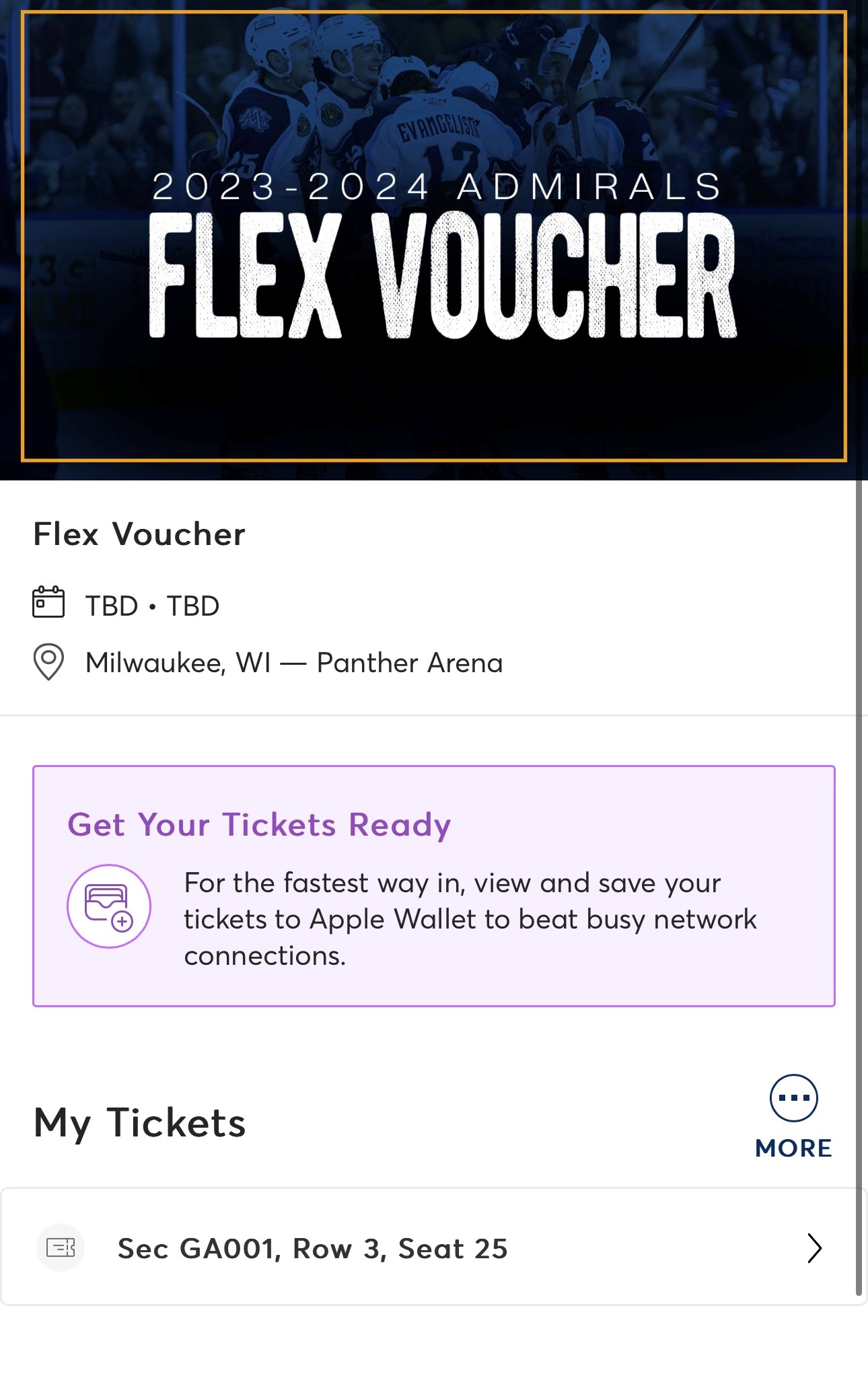
Select the voucher you want to exchange. Once on that page, select more (it’s 3 dots in a circle).
Step 2:
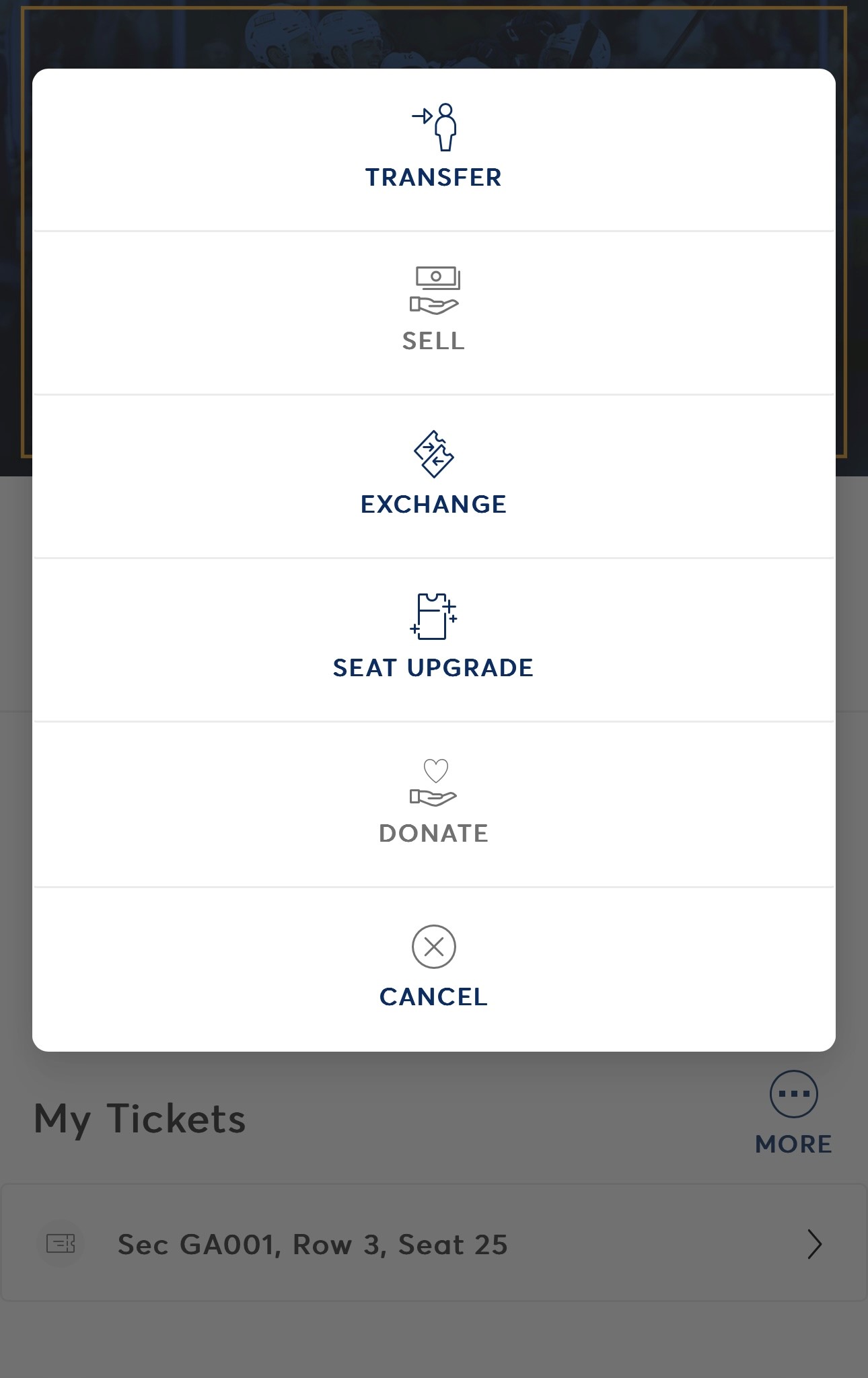
2. Select seat(s) upgrade.
Step 3:
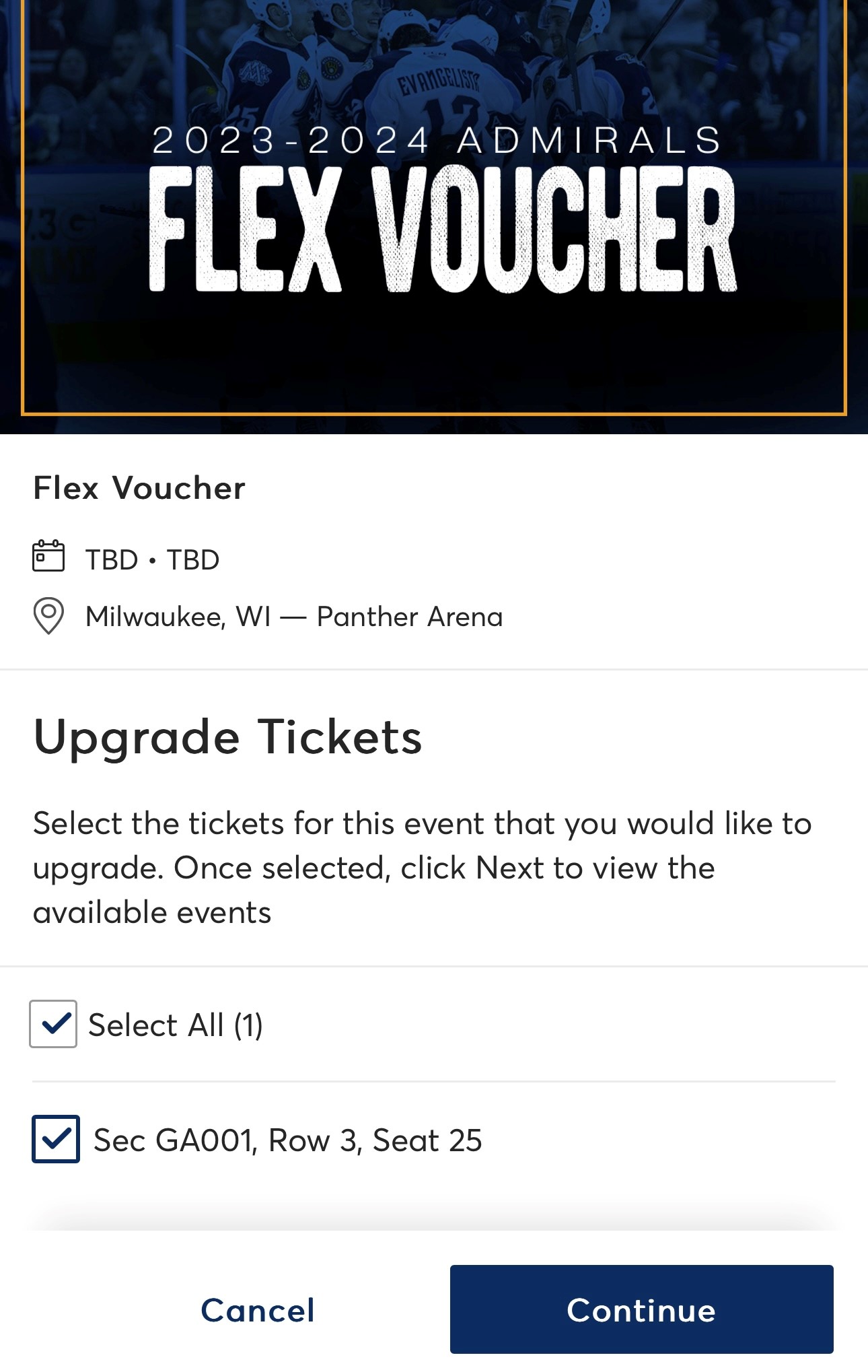
Select the seat you want to upgrade. Then Continue.
Step 4:
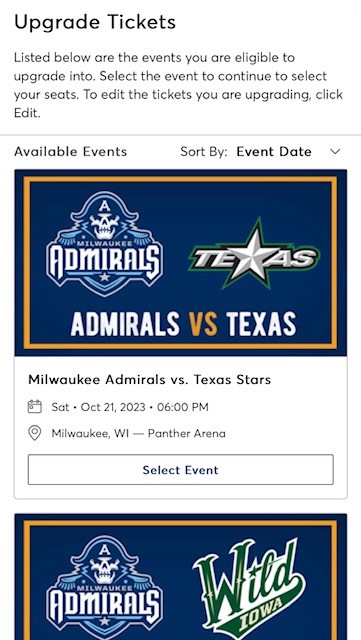
Select the new game date you wish to attend.
Step 5:
Pick your desired section on the seat map. The new seat(s) selected must be valued higher than the voucher you are exchanging.

Step 6:
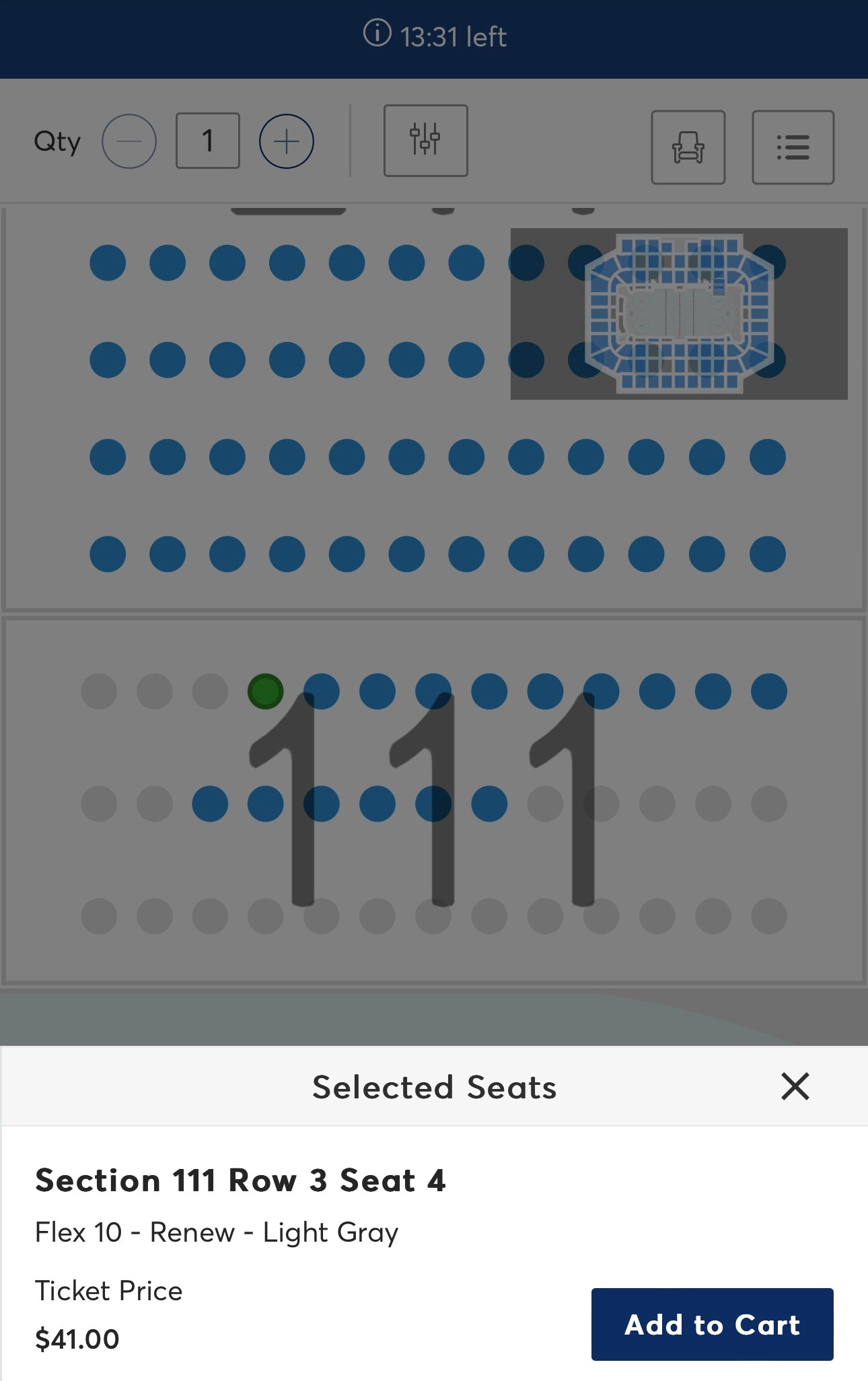
Select the new seat(s) and then Add to Cart.
Step 7:
Select the Shopping Cart in the top right corner. One open hit Continue.

Step 8:
Review the summary of your upgrade and then hit Next.

Step 9:
Select add a new card and add card information or select a card saved on the account.

Step 10:
Select Pay Today and complete the steps on the next page.

Step 11:
You will receive a confirmation email detailing the upgrade following submitting the order.